Gym consistency
Don’t just plan to work out.
Do it.
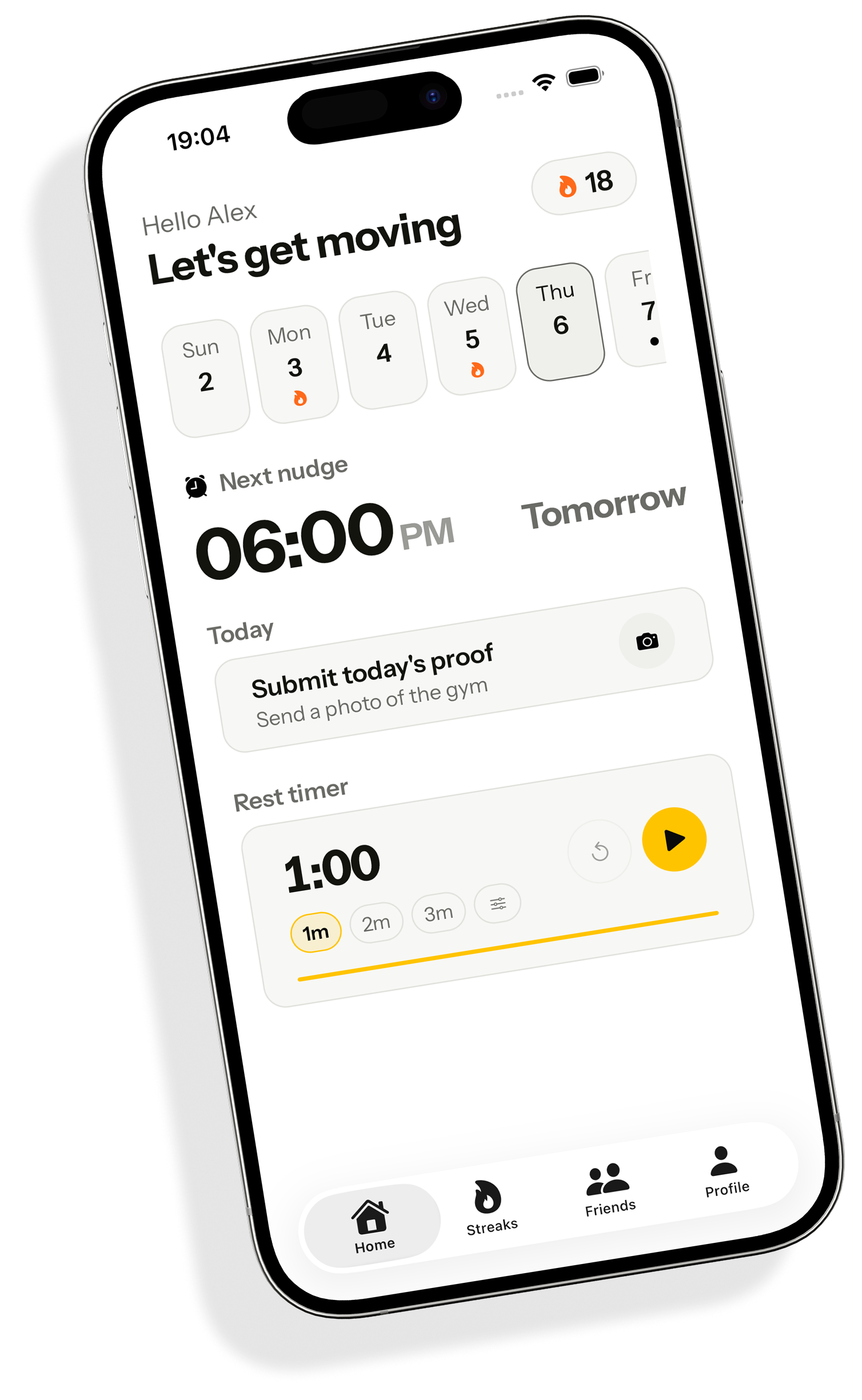
FitBound gives you a system that helps you plan your workouts, remember to show up, and follow through consistently.
The problem
Joining is easy.
Showing up is harder.
~67%
of gym memberships are rarely or never used.
You already know you should go. The hard part is doing it consistently.
Goals aren’t the problem. Systems are.
The system
Meet your system.
Everything you need to make showing up easier.
Plan
Bench press4 × 8Incline dumbbell3 × 10Cable fly3 × 12Know what to do
A workout plan built for you, so no session starts with a decision.
Nudge
06:30
AM
Time to train
I’m goingSnoozeDon't forget to show up
An alarm you can't talk your way out of. It comes back until you deal with it.
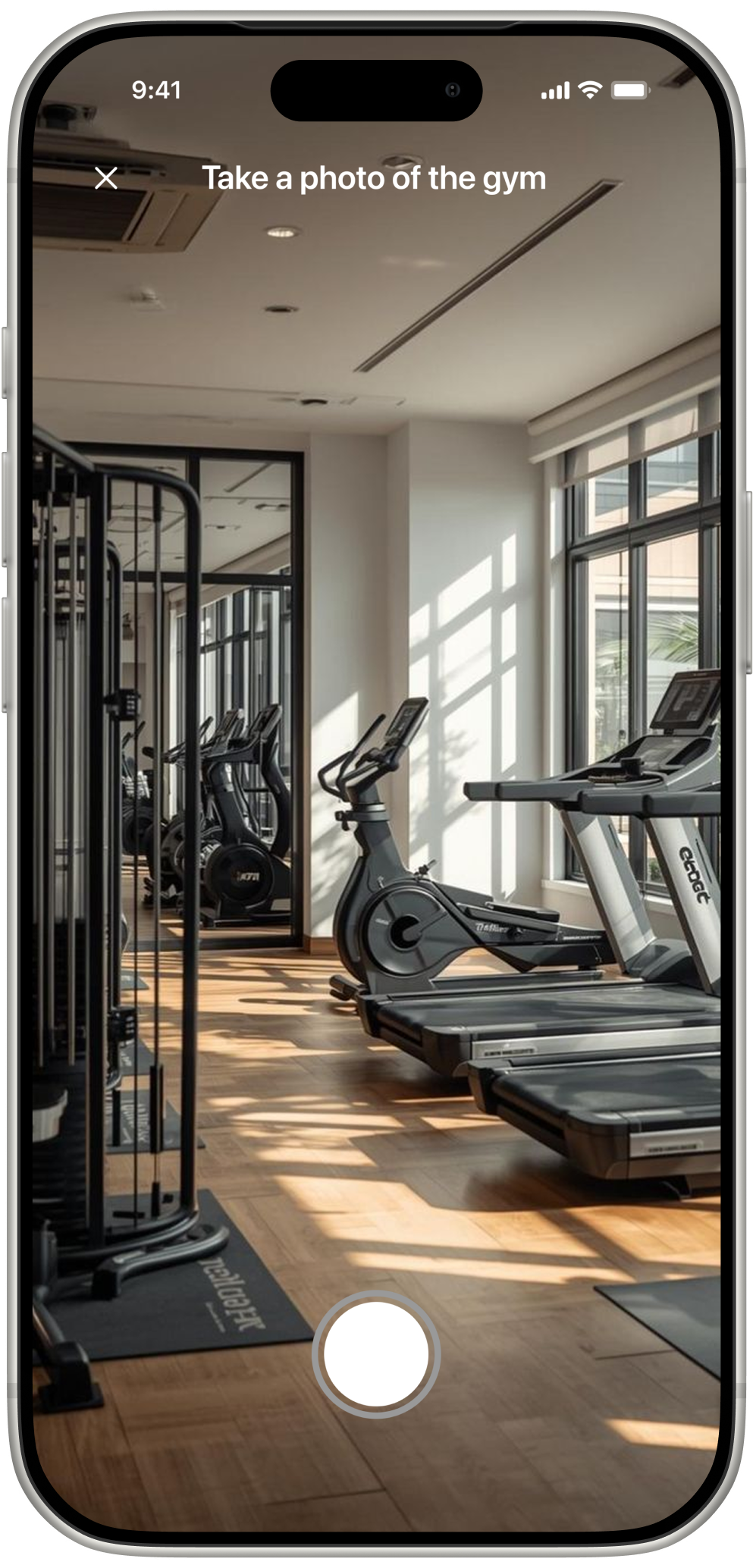
Proof
Gym confirmed
Make showing up count
A photo at the gym, checked automatically. Nothing else clears the day.
Streak
18
days
M
18
T
19
W
20
T
21
F
22
S
23
S
24
Keep your streak alive
Every workout is another reason not to break it.
Make showing up harder to abandon.
You don’t have to rely on willpower alone.
Friends
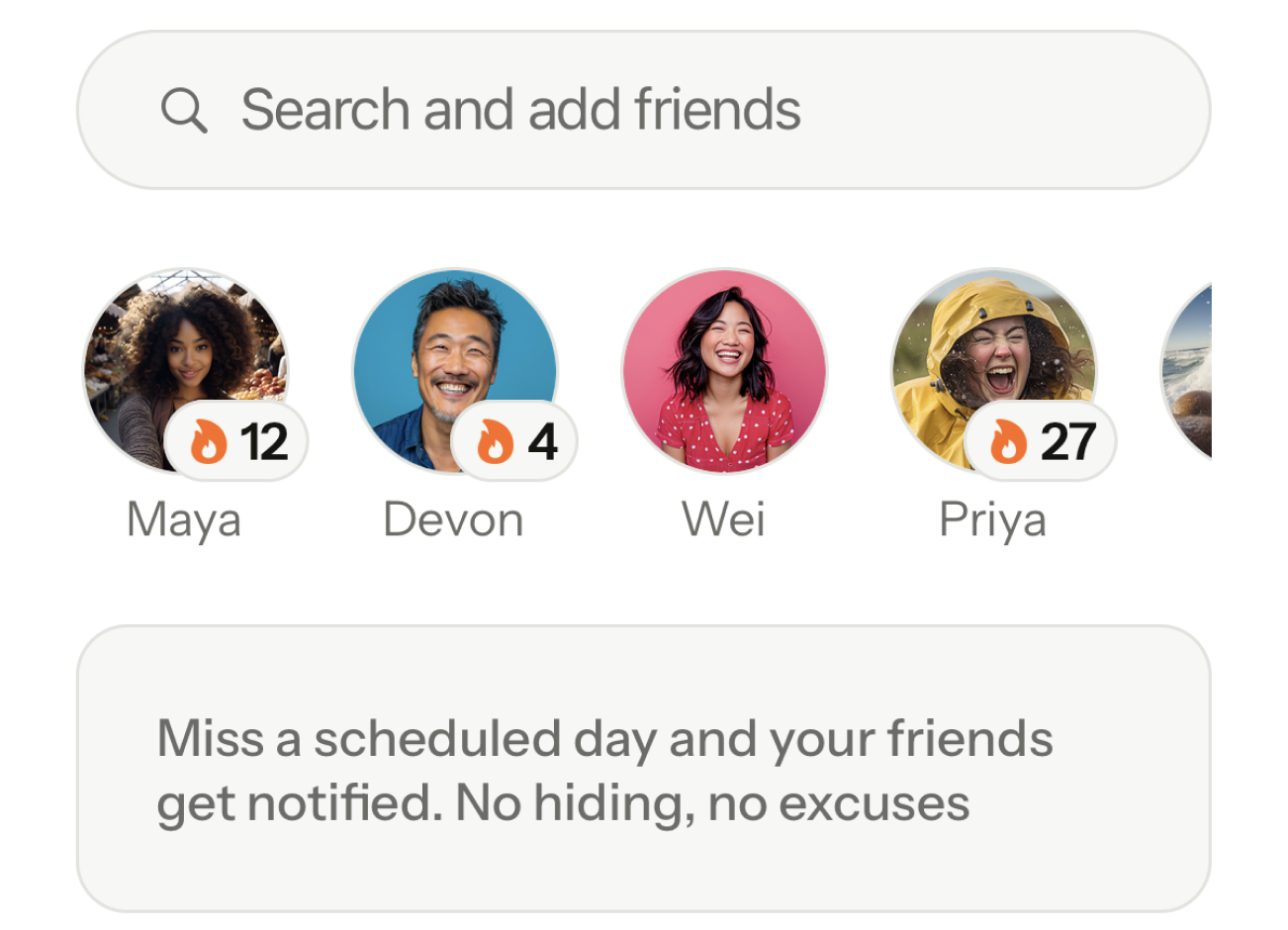
Bring people you already know into your routine. Miss a scheduled day and they get told.

Buddies
Coming soonFind someone who makes showing up easier, matched on the days and times you already train.


Find your fitness person.
Someone who can make showing up easier.
Train together
Find people who train when you train.
Share gym access
They may have a gym you can access together.
Stay accountable
You both know when the other shows up.
You choose who finds you
Stay undiscoverable until you're ready.
Buddies are coming.
I’m interestedConsistency
See what sticking with it adds up to.
Same fourteen weeks. The difference is whether you kept turning up.
Consistency compounds.
What consistency can look like
Sticking with it
42workouts
Starting and stopping
11workouts
3 workouts a week over 14 weeks = 42 workouts. Illustrative arithmetic, not results data.
Why FitBound
Built to be used, not forgotten.
Built around your goal
Your workouts, reminders and accountability are designed around what you're trying to achieve.
Your data isn't the business
No ads. No selling your data. Your subscription supports the product.
A system, not another reminder
FitBound connects your plan, workouts, accountability and progress in one place.
Questions before you start? Read the support page or email support@fitbound.app.